Report Results Panel
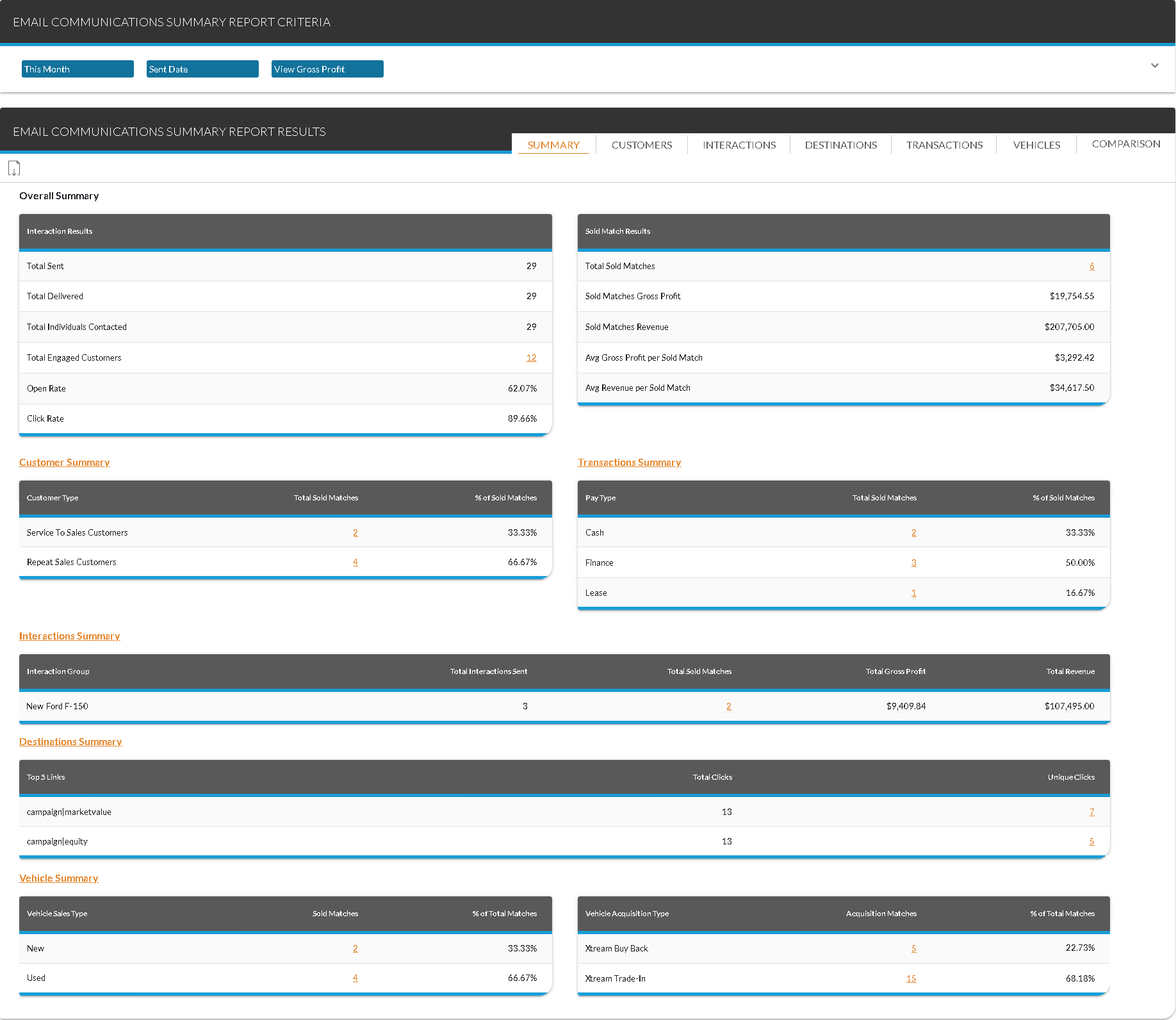
The Report Results panel on the Email Communications Summary screen is used to view the Email Communications Summary report, which can be used to review the effectiveness of Email marketing materials. Using this report, managers can review the number of Email messages that were sent, the number of individuals contacted, and the number of vehicle sales associated with the Email messages. In addition, profit and revenue generated from the vehicle sales can be reviewed using this report.

|
To access the Report Results panel, enter criteria in the Report Criteria panel on the Email Communications Summary screen. Then click the RUN button. |
To export the information on this panel, click the  (Export Report) icon. The Export Report? window displays. Select a file format, such as .csv,.pdf, or .xlsx, and click the EXPORT button. The results are exported in the selected file format and are saved to the PC or network drive.
The following tabs display on this panel.
-
Email Communications Summary - Summary Tab. This tab is used to review an overview of sales information included on the Email Communications Summary report, including the number of customers contacted by Email, the revenue generated by sold matches, and the number of vehicles sold.
-
Email Communications Summary - Customers Tab. This tab is used to review sales information based on the type of customers involved in the vehicle sales, such as sales customers or service customers.
-
Email Communications Summary - Interactions Tab. This tab is used to review sales information based on the type of interaction that generated each sale, such as service appointments or sales campaigns.
-
Email Communications Summary - Destinations Tab. This tab is used to review the number of links clicked in the Email messages.
-
Email Communications Summary - Transactions Tab. This tab is used to review sales information based on the deal type, such as cash or finance.
-
Email Communications Summary - Vehicles Tab. This tab is used to review sales information based on vehicle type, such as new or used.
-
Email Communications Summary - Comparison Tab. This tab is used to request the Email Communications Summary report for two time frames and compare the results.
Click here for a list of products that may be mentioned in this help file.